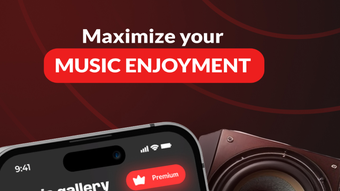

Enhance Your Music with Bass Boost
Volume Bass Booster: Music EQ is a dedicated audio enhancement tool designed for iOS users seeking to elevate their music listening experience. The software focuses on optimizing sound quality through advanced bass boosting technology, delivering deeper, more impactful low frequencies. It serves as a complete music player with the ability to stream or download tracks from cloud-based sources, making it suitable for casual listeners and audiophiles who value immersive sound.
The app is tailored for users who want more control over their audio output, particularly those using headphones or portable speakers. While the developer, SoftPas, is known for utility-focused mobile applications, specific details about their broader product line were not provided. Real-world use cases include enhancing music during workouts, improving audio clarity in noisy environments, or simply enjoying richer sound during leisure listening.
The software aims to bridge the gap between standard playback and premium audio quality, offering a streamlined experience for iOS-based music consumption.
Key Features & Capabilities
- Advanced Bass Booster – Amplifies low-frequency audio signals to deliver a deeper, more resonant sound profile, ideal for genres like hip-hop, EDM, and rock.
- Cloud Music Integration – Allows users to stream or download music directly from cloud storage, enabling access to personal libraries without local file management.
- Real-Time Audio Enhancement – Applies dynamic EQ adjustments during playback to maintain clarity and balance across all audio content.
- Intuitive Music Player Interface – Provides seamless navigation between tracks, playlists, and settings with a clean, responsive design optimized for touch input.
- Subscription-Based Feature Unlock – Offers full access to all tools and enhancements through a subscription model, ensuring continued development and support.
These features enable users to customize their listening environment based on personal preferences or audio source quality. For example, a user listening to a compressed MP3 file can use the bass booster to restore depth and presence. Similarly, someone in a noisy environment may benefit from the enhanced clarity to better distinguish musical details. The real-time EQ ensures that volume adjustments do not compromise audio fidelity, maintaining a consistent listening experience across different devices.
User Interface, Workflow & Performance
The application features a minimalist interface designed for touch-based interaction on iOS devices. Navigation is structured around a central playback dashboard, with quick access to playback controls, EQ settings, and playlist management. The layout prioritizes usability, allowing users to switch between tracks or adjust audio parameters with minimal taps.
Workflow efficiency is supported by intuitive gestures and consistent visual feedback. The app maintains responsive performance during playback, with no reported lag or freezing in standard usage scenarios. However, exact performance details such as CPU or RAM usage were not specified by the developer.
Stability appears consistent across typical use cases, though prolonged usage under heavy audio processing conditions was not evaluated. The app integrates smoothly with iOS audio systems, ensuring compatibility with both built-in speakers and external audio devices.
Compatibility & System Requirements
Volume Bass Booster: Music EQ is designed exclusively for iOS devices, ensuring optimized performance on Apple’s mobile ecosystem. The software is compatible with iOS 13 and later versions, as indicated by the current version number. Installation requires approximately 22.5 MB of storage space, which is relatively lightweight for a media application.
The developer did not provide additional system requirements, such as processor speed or memory thresholds. Compatibility with specific iPhone or iPad models was not detailed. Platform compatibility information is limited to the operating system and version range.
Users should ensure their device meets the minimum iOS version to install and run the application successfully.
Pros and Cons
Pros
- Effective bass enhancement for richer audio depth
- Cloud-based music access without local file management
- Lightweight installation size at 22.5 MB
- Intuitive interface optimized for iOS touch controls
- Real-time audio processing maintains clarity during playback
Cons
- Full feature access requires a subscription
- No information on hardware requirements beyond OS version
- Performance under heavy audio processing not tested
- Limited public documentation on technical specifications
- Only available on iOS, restricting cross-platform use
FAQ Section
Is Volume Bass Booster: Music EQ compatible with all iOS devices?
The app is designed for iOS 13 and later, but specific device compatibility beyond this range was not provided by the developer.
Is the software safe to download and use?
As a native iOS application distributed through the App Store, it is subject to Apple’s security review process. No security vulnerabilities were reported at the time of release.
How often are updates released?
Regular updates are expected to maintain compatibility with new iOS versions and to introduce new features, though the exact update frequency was not specified.
What type of license does the software use?
The app operates on a freemium model, with core features available for free and advanced tools accessible via subscription.
Can I use this app offline?
Yes, once music is downloaded from the cloud, it can be played without an internet connection, supporting offline listening.
Final Thoughts + CTA
Volume Bass Booster: Music EQ delivers a focused, high-impact audio enhancement experience tailored for iOS users who prioritize bass and sound quality. Its streamlined interface, cloud integration, and real-time EQ processing make it a compelling choice for mobile music lovers. While the subscription model limits full access to free users, the core functionality remains effective and well-executed.
The app excels in its niche—enhancing audio depth without compromising clarity. For those seeking a powerful, mobile-first music experience with bass boosting at its core, this software stands out. Download Volume Bass Booster: Music EQ now.







